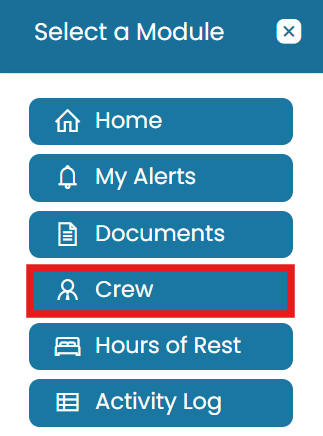
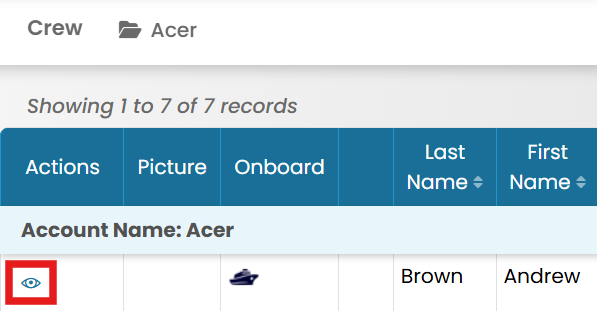
Crew Viewing a Payslip for a Crew Member Last updated · August 2026 Permission-based access: What you can see and do in MMV depends on your assigned permissions. If a feature described here isn't visible in your account, ask your Administrator. Video walkthrough Video not playing? Watch it on YouTube ↗ From the Payroll Provider site, click the Modules icon and select Crew. Click the View icon next to a crew member. > Go to the Payroll Provider tab then click View icon next to the payroll record for which you want to view the payslip. ## Article: Hours of Rest ← PreviousSetting Source Bank in Crew Profile Next →Generate Hour of Rest Report Related articles Setting Source Bank in Crew Profile